蔵 · KURA · THE STOREHOUSE
Life first.
Plans second.
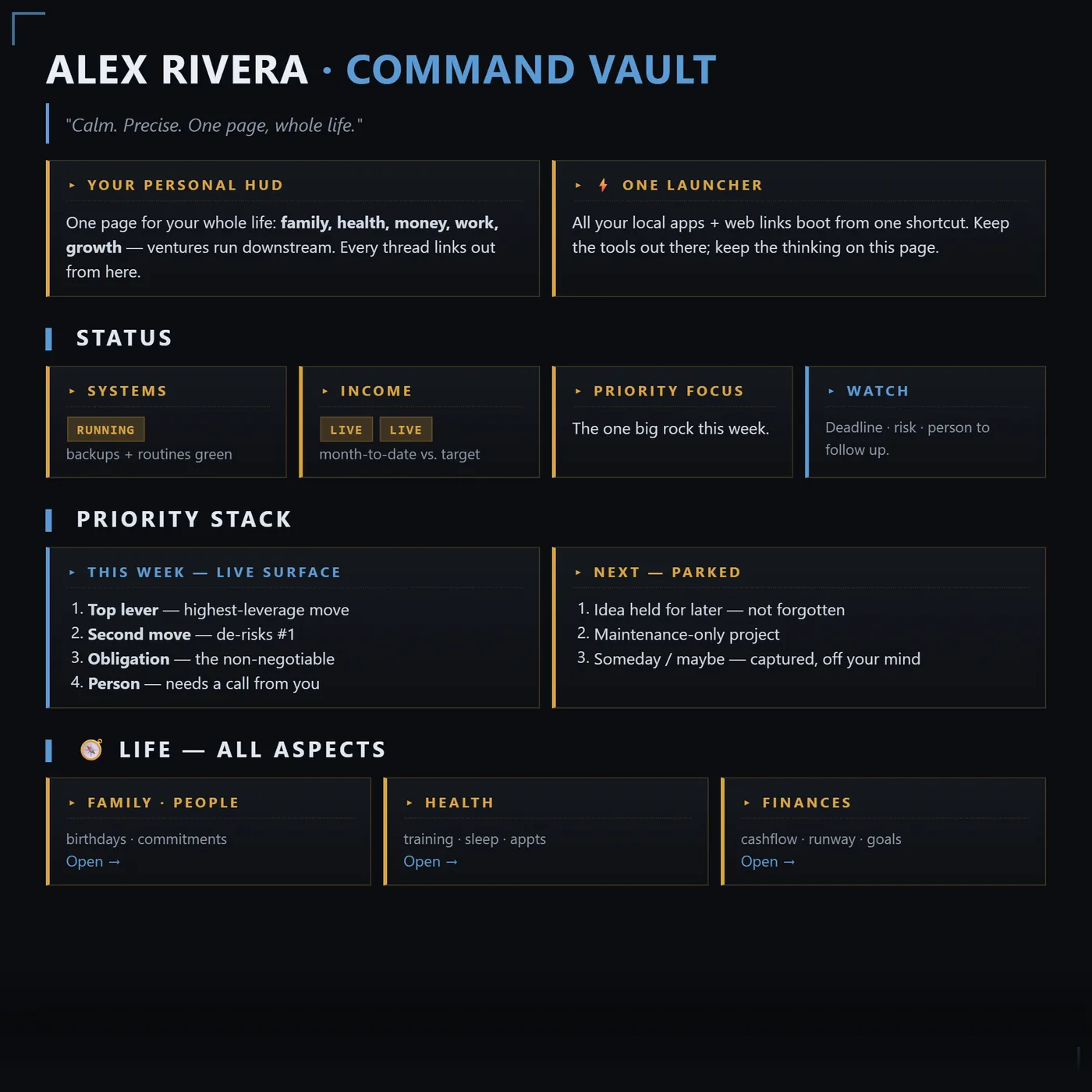
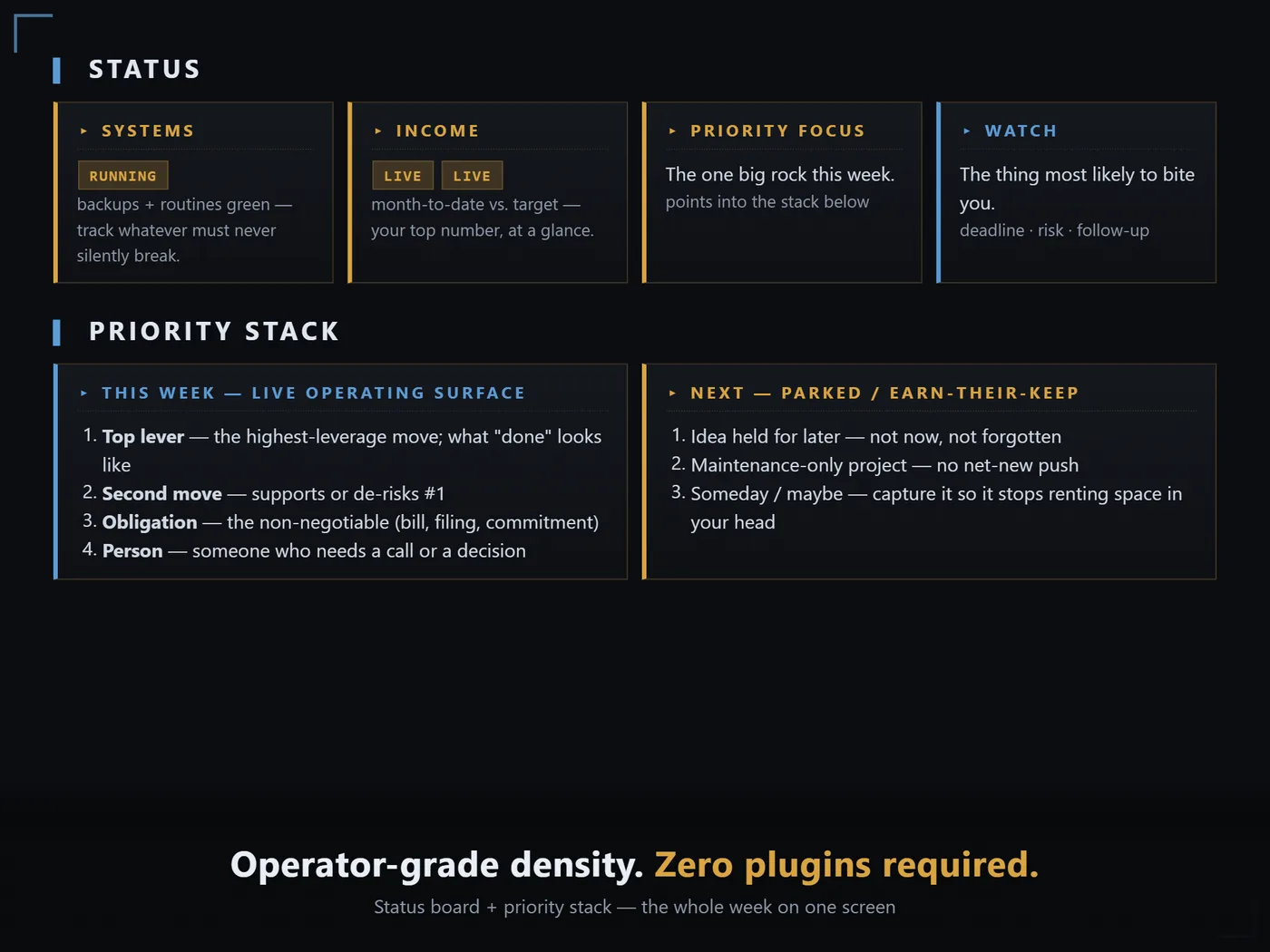
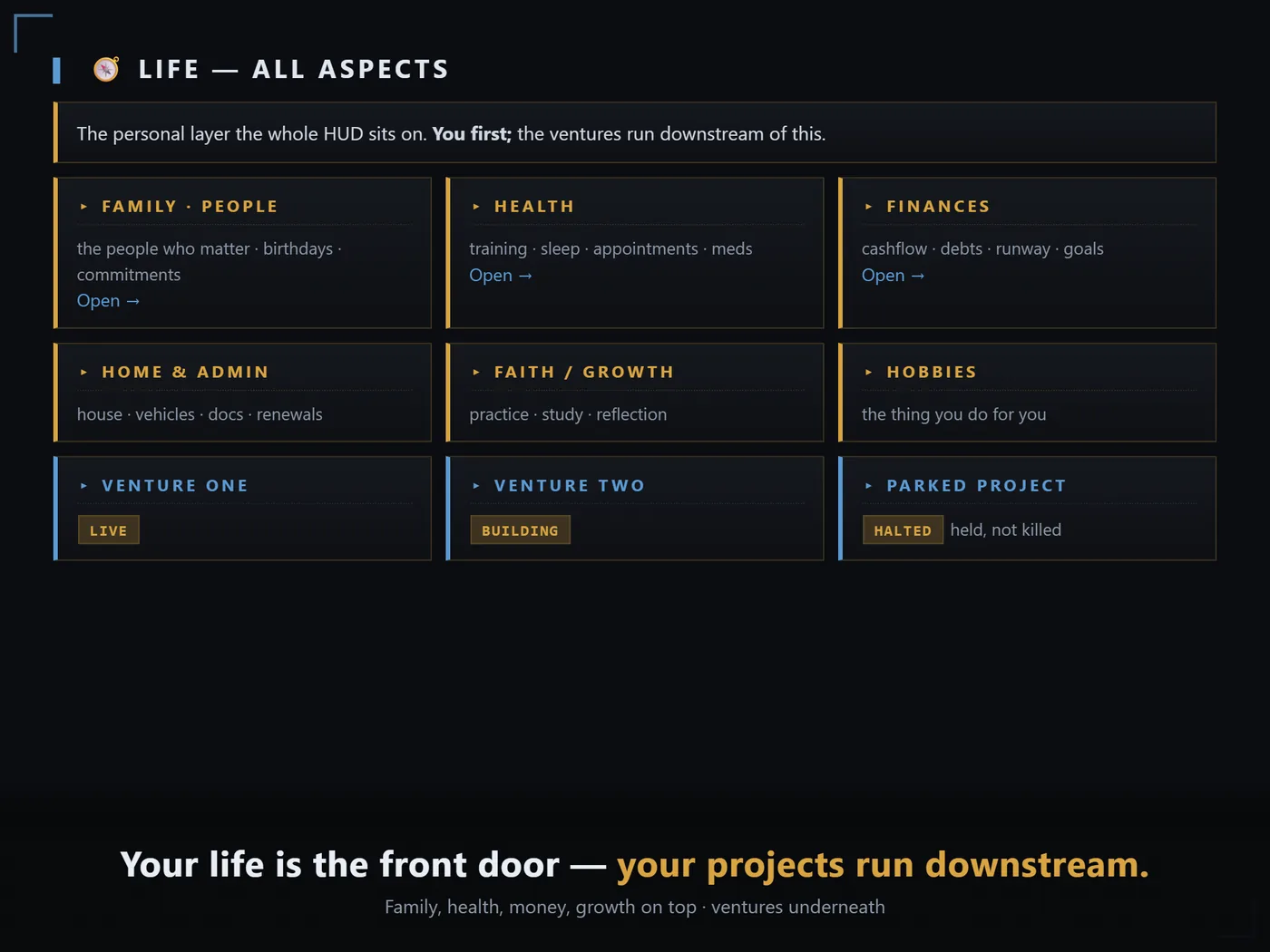
An operator HUD for Obsidian. Dark, dense, calm. Built on one principle: your life is the front door, and your work runs downstream of it. Family, health, money and focus sit up top. Ventures and tasks sit below.
- Free Obsidian
- No plugins
- 32 palettes
- Mac · Windows · Linux
- 10 min setup
Readout 01 · The Problem
You do not need another planner.
You need one page that shows you your whole life at a glance and then gets out of the way. Most systems fail the opposite direction. They ask you to maintain them, and the maintenance becomes the work.
COMMAND VAULT is one note plus one stylesheet. Open it and you know where you stand in about four seconds. Close it and it asks nothing of you.
Readout 02 · 32 Palettes
32 palettes. One edit each.
Six CSS variables sit at the top of the stylesheet. Change them and every card, header, pill and corner bracket follows. 32 ready-made palettes ship with it, each one contrast-checked so the HUD stays readable. Copy a block, paste, reload, done.
/* THEME — EDIT ME */
--cv-accent:     #5b9bd5;
--cv-accent-2:   #d9a441;
--cv-panel:      #15181e;
--cv-panel-deep: #0e1014;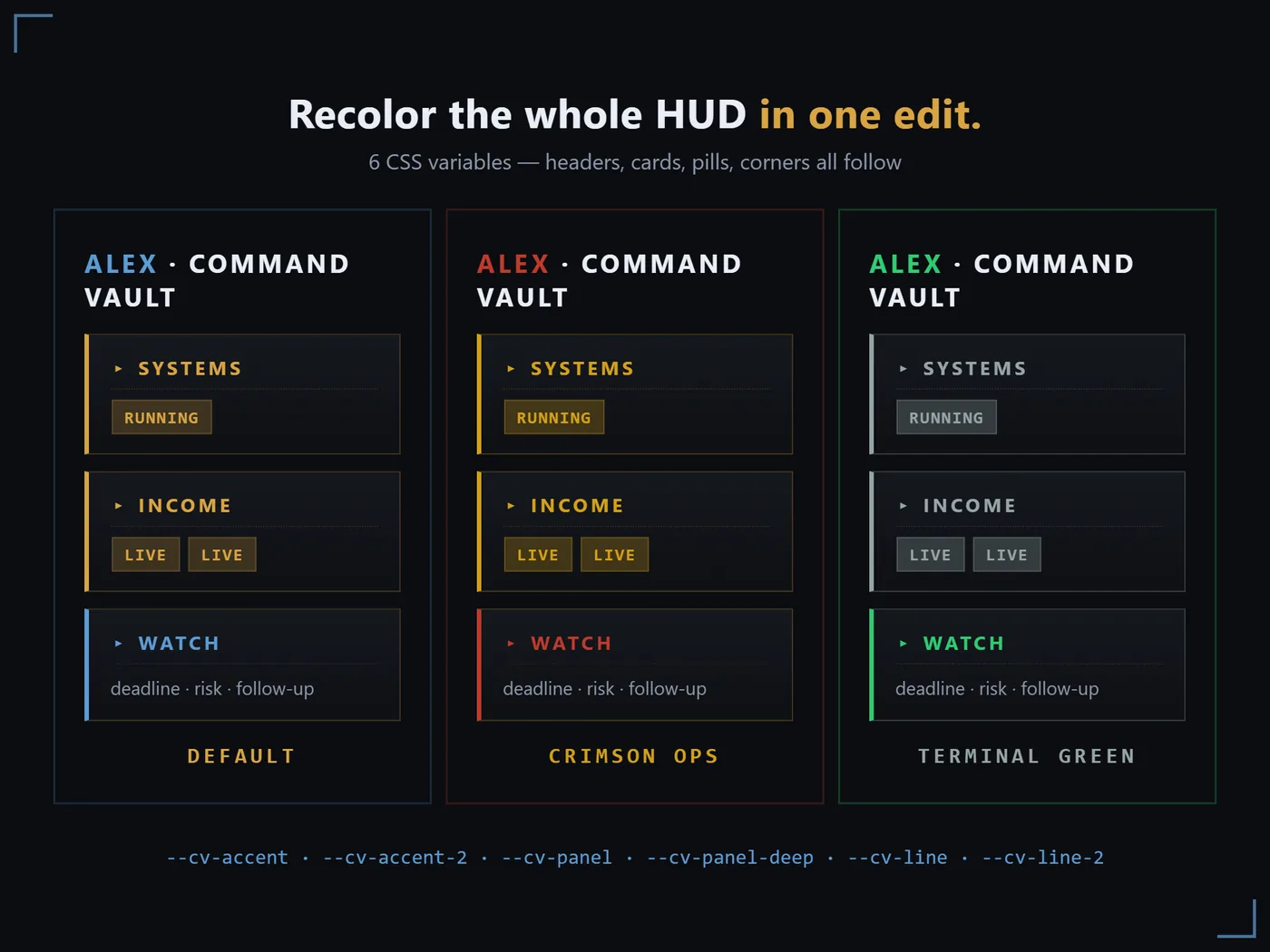
Readout 03 · Manifest
What ships in the zip.
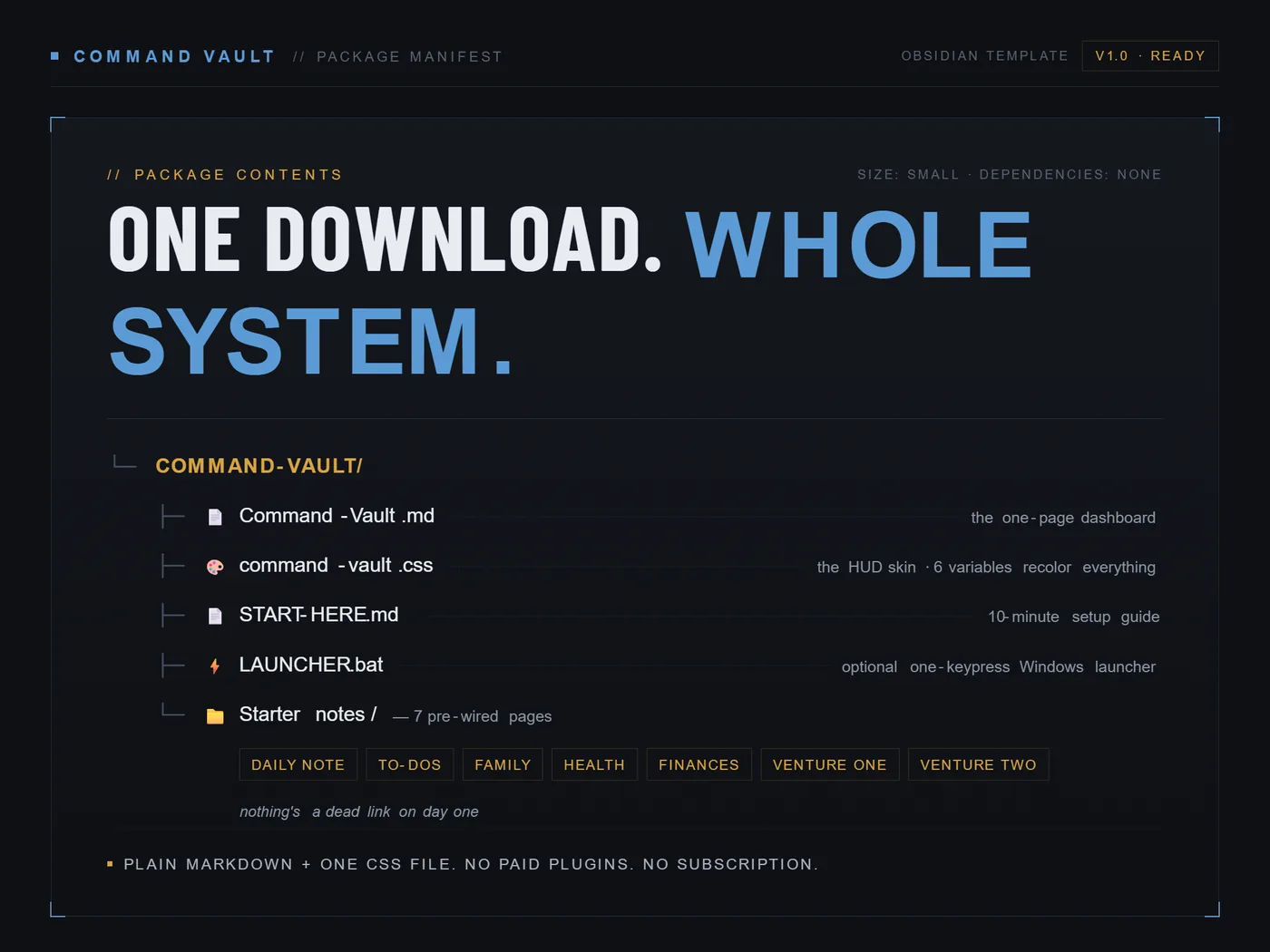
- Command-Vault.md
- The single page dashboard. Status, Priority Stack, Life, Ventures, Daily Ops, Money, Automations, Backup.
- command-vault.css
- The snippet that turns plain notes into the tactical grid. Six variables recolor all of it.
- 6 starter notes
- Family, Health, Finances, Ventures, To-Dos, Daily Note. Nothing is a dead link on day one.
- PALETTES.md
- 32 ready-made palettes, every one contrast-checked. Copy a block over the six variables and reload.
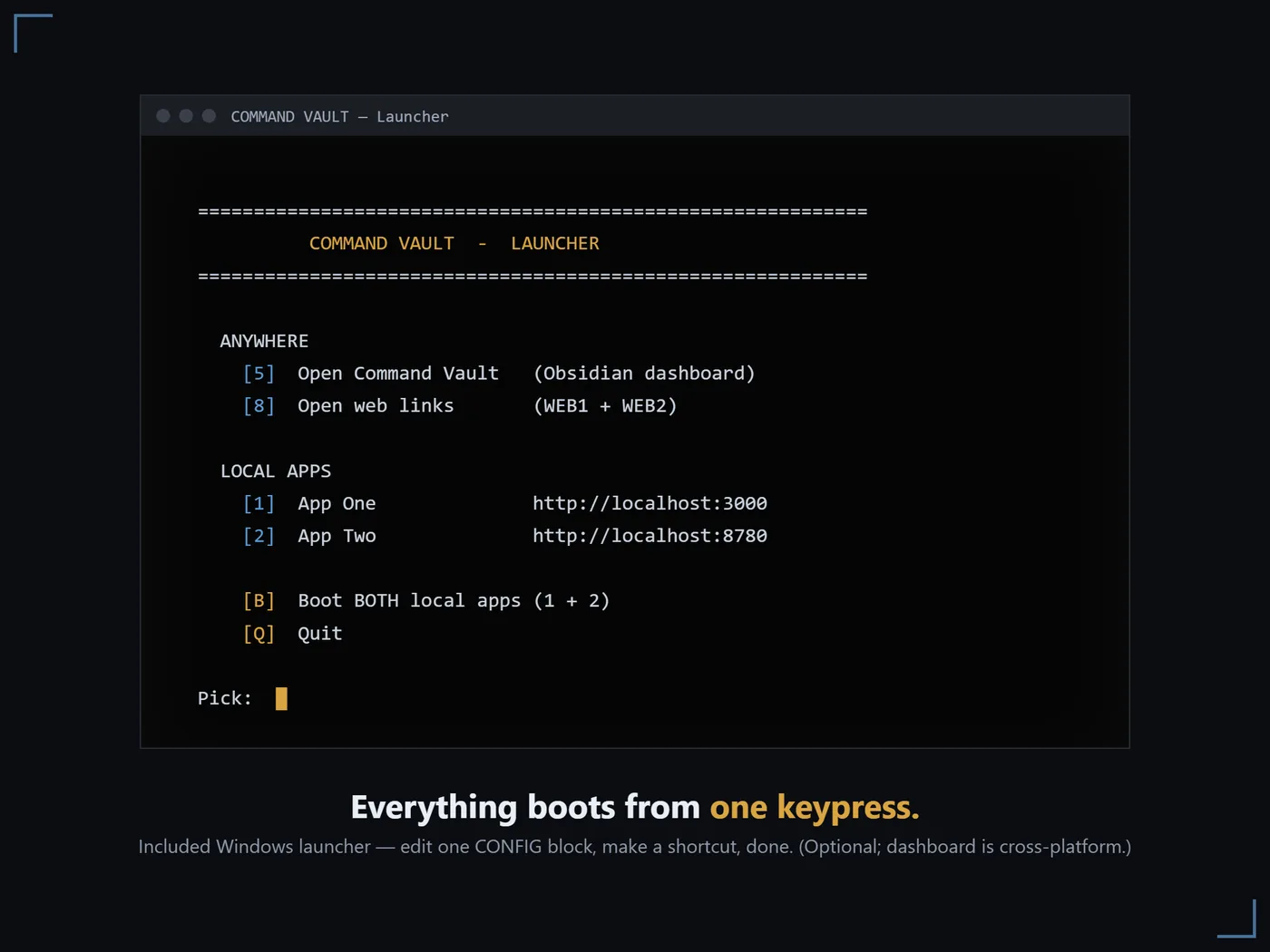
- LAUNCHER.bat
- Optional one keypress Windows menu. Opens the dashboard, boots your local apps.
- START-HERE.md
- A ten minute setup guide. No plugins to buy, nothing to configure twice.
Readout 04 · Deployment
Running in three steps.
Drop it in
Copy the files into your vault. The main file is
Command-Vault.md.Enable the snippet
Move the CSS into
.obsidian/snippets/, then switch it on under Appearance.Dark, reading view
Press Ctrl/Cmd+E. Replace three tokens with your name and you are running.
Readout 05 · Specification
- Requires
- Obsidian (free). Desktop recommended for setup.
- Platforms
- Dashboard runs on Mac, Windows and Linux. The launcher is Windows only and optional.
- Network
- None. No webfonts, no trackers, nothing loaded from the internet.
- Sync
- Works with whatever Obsidian sync you already use, including mobile.
- Delivery
- Instant download. One zip, 14 KB.
- Licence
- Personal use, every vault you own. Please do not resell or redistribute the template.
Not affiliated with or endorsed by Obsidian.
Readout 06 · Acquire
One page. Your whole life.
Sixteen dollars, once.
Plain files you own outright, on a system that keeps working whether or not anyone is still selling it.
Get COMMAND VAULT $16Instant download · free Obsidian · no subscription